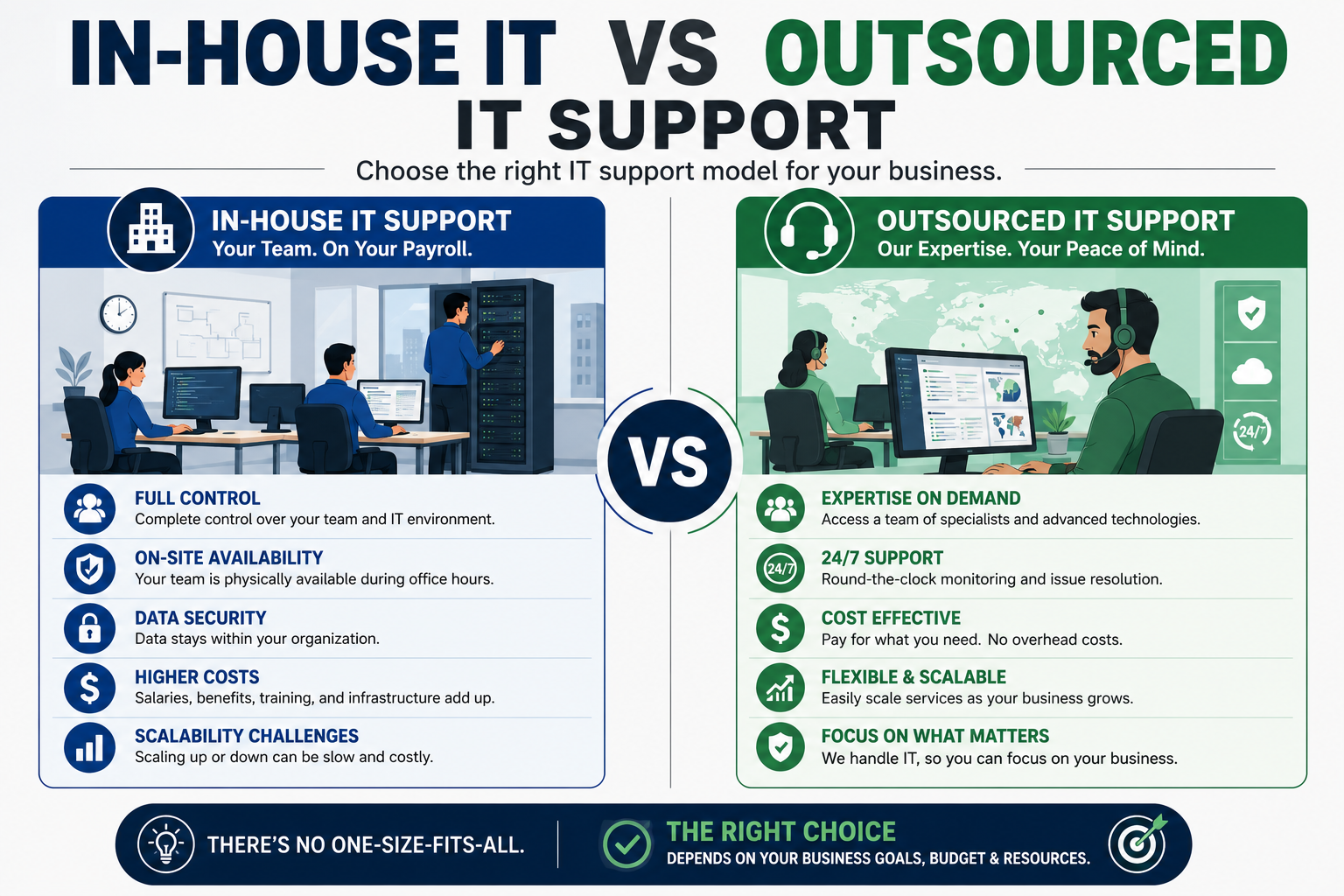
The in-house IT vs outsourced IT support decision usually shows up at the worst possible moment — right after a server goes down, a laptop gets ransomware, or a growing team outpaces whatever ad-hoc setup got you through the first two years. Both models can absolutely work. The question isn't which one is universally "better," it's which one matches your headcount, your risk tolerance, and your budget's patience for fixed versus variable costs. Get this call wrong and you're either overpaying for a full-time hire your ticket volume doesn't justify, or underpaying for support that disappears exactly when you need it most. Let's break down the real tradeoffs, not the sales-brochure version.
What "In-House IT" Actually Costs (Beyond the Salary)
The advertised salary for an in-house IT hire is the smallest number in the equation. A single full-time IT generalist in the U.S. typically runs a fully loaded cost — salary plus benefits, payroll tax, equipment, software licenses, and training — well above the base salary figure alone. Then there's the coverage gap: one person can't be sick, on vacation, and troubleshooting a network outage simultaneously, no matter how many energy drinks are involved. Businesses that hire a single in-house IT person often discover their "24/7 support" is actually "support during business hours, assuming nothing else is on fire."
In-house IT does have real advantages: deep institutional knowledge, immediate physical presence for hardware issues, and a team member who's genuinely invested in your specific tech stack rather than juggling dozens of clients. For businesses with complex, highly customized infrastructure, that context is hard to replace.

In-house IT builds deep institutional knowledge — at the cost of a single point of failure.
What Outsourced IT Support Actually Includes
Outsourced IT support — often called managed IT or remote computer support — typically bundles help desk response, remote troubleshooting, patching, monitoring, and cybersecurity basics into a predictable monthly fee. Instead of one person's bandwidth, you get a team's, which solves the coverage-gap problem in a way no single hire can. It's the difference between having one mechanic on call and having an entire shop; when your mechanic is out sick, the shop is still open.
Where Outsourcing Wins
Cost predictability is the biggest draw. Instead of a large fixed salary commitment, you get scalable pricing tied to usage or headcount, which is far friendlier to cash flow for small and mid-sized businesses. You also get broader expertise on tap — a managed provider has likely already solved the exact printer-driver disaster or ransomware scare you're currently panicking about, because someone else's business hit it first and they patched the process.
Where Outsourcing Falls Short
Response time can lag for issues requiring physical, on-site presence, and outsourced teams inherently have less day-to-day context on your specific business quirks than someone who sits down the hall. Highly regulated industries or businesses with heavily customized legacy systems sometimes need the continuity only an embedded employee provides.
Head-to-Head: In-House vs Outsourced IT Support

The right model often depends less on preference and more on the complexity of what's under the hood.
| Factor | In-House IT | Outsourced IT Support |
|---|---|---|
| Cost Structure | Fixed (salary, benefits, equipment) | Variable / subscription-based |
| Coverage Hours | Limited to hired staff's availability | Often 24/7 or extended-hours options |
| Response for On-Site Issues | Immediate (already there) | Scheduled or remote-first |
| Breadth of Expertise | Limited to hired individual(s) | Access to a full team's specializations |
| Scalability | Requires new hires to scale | Scales with plan tier or usage |
| Best Fit | Complex, highly customized infrastructure | Growing SMBs needing predictable cost & broad coverage |
The Hybrid Model: Why Many Businesses Land in the Middle
Plenty of growing companies don't pick a lane — they blend both. A small internal point-of-contact handles day-to-day, on-site needs and vendor relationships, while an outsourced provider covers help desk volume, after-hours monitoring, and cybersecurity, which is a workload no single hire should carry alone anyway. This hybrid approach captures the institutional-knowledge benefit of in-house IT while offloading the parts that don't scale well with headcount — namely, staying awake at 2 a.m. because someone clicked a phishing link.
If cybersecurity is a growing concern in that mix, worth noting: a business running an internal IT generalist without dedicated security tooling is more exposed than one working with a managed provider that bakes in anti-malware protection like DT Malware Safe as a standard part of the stack, not an afterthought bolted on after an incident.

The hybrid model keeps a human on-site while outsourcing the workload that doesn't scale with headcount.
Signs You Need In-House IT
- Your infrastructure is highly customized or industry-specific
- You have 50+ employees generating consistent daily ticket volume
- Physical hardware issues are frequent enough to need someone permanently on-site
- Compliance requirements mandate dedicated internal oversight
Signs Outsourced IT Support Fits Better
- You're a small or mid-sized business without consistent daily ticket volume
- Budget predictability matters more than having a dedicated employee
- Most of your team works primarily on laptops with standard software
- You need cybersecurity monitoring you can't justify hiring a specialist for
How to Tell If Your Computer Has Bigger Problems Than Slow Support
Sometimes the "in-house vs outsourced" debate is really a symptom of a deeper problem: nobody's watching for security issues at all. If your team has been noticing unexplained slowdowns, strange pop-ups, or unfamiliar programs, that's a different conversation than staffing — that's a sign your systems may already be compromised, and it's worth ruling out before deciding who should be managing your IT going forward. Ransomware, in particular, doesn't wait for you to finish your staffing decision; if you suspect an active infection, here's what to do immediately.
How Devtaastic Fits Into Your IT Strategy
Devtaastic provides remote computer support and ongoing maintenance services designed for businesses that need reliable, responsive IT without the overhead of a full in-house department — or as a complement to the internal team you already have. Every engagement includes protection built around DT Malware Safe, so security isn't an upsell bolted on after something already went wrong; it's baked into day-one support. Whether you're deciding to hire your first IT employee or looking to offload the parts of support that keep interrupting actual business hours, we can walk through what fits.
Frequently Asked Questions
Is outsourced IT support cheaper than hiring in-house?
In most cases, yes, particularly for small and mid-sized businesses. A single in-house IT hire's fully loaded cost (salary, benefits, equipment, training) typically exceeds what a comparable managed IT support plan costs per month, especially once you factor in that outsourced support scales with your plan rather than requiring an additional full-time hire.
Can outsourced IT support handle on-site hardware issues?
Many providers offer scheduled on-site visits or ship replacement hardware, but response time for physical issues is generally slower than having someone already in the building. If frequent hands-on hardware work is a core need, that's a point in favor of at least a hybrid model.
At what company size does in-house IT start to make sense?
There's no universal number, but businesses generating enough daily ticket volume to keep one or more people consistently busy — often once headcount reaches into the dozens with complex, customized systems — tend to see clearer ROI from a dedicated in-house hire.
Does outsourced IT support include cybersecurity protection?
Reputable managed IT providers include baseline cybersecurity monitoring and anti-malware protection as part of the standard package, rather than treating it as a separate add-on. Always confirm what's included before signing, since coverage varies significantly between providers.
Can I switch from in-house IT to outsourced support later, or vice versa?
Yes, and many businesses do exactly this as they grow or as their needs shift. Starting with outsourced support while ticket volume is unpredictable, then transitioning to a hybrid or fully in-house model as headcount and complexity grow, is a common and reasonable path.
Not Sure Which IT Model Fits Your Business?
Devtaastic helps U.S. businesses figure out whether in-house, outsourced, or hybrid IT support makes the most sense — then delivers it.
Get a Free Quote