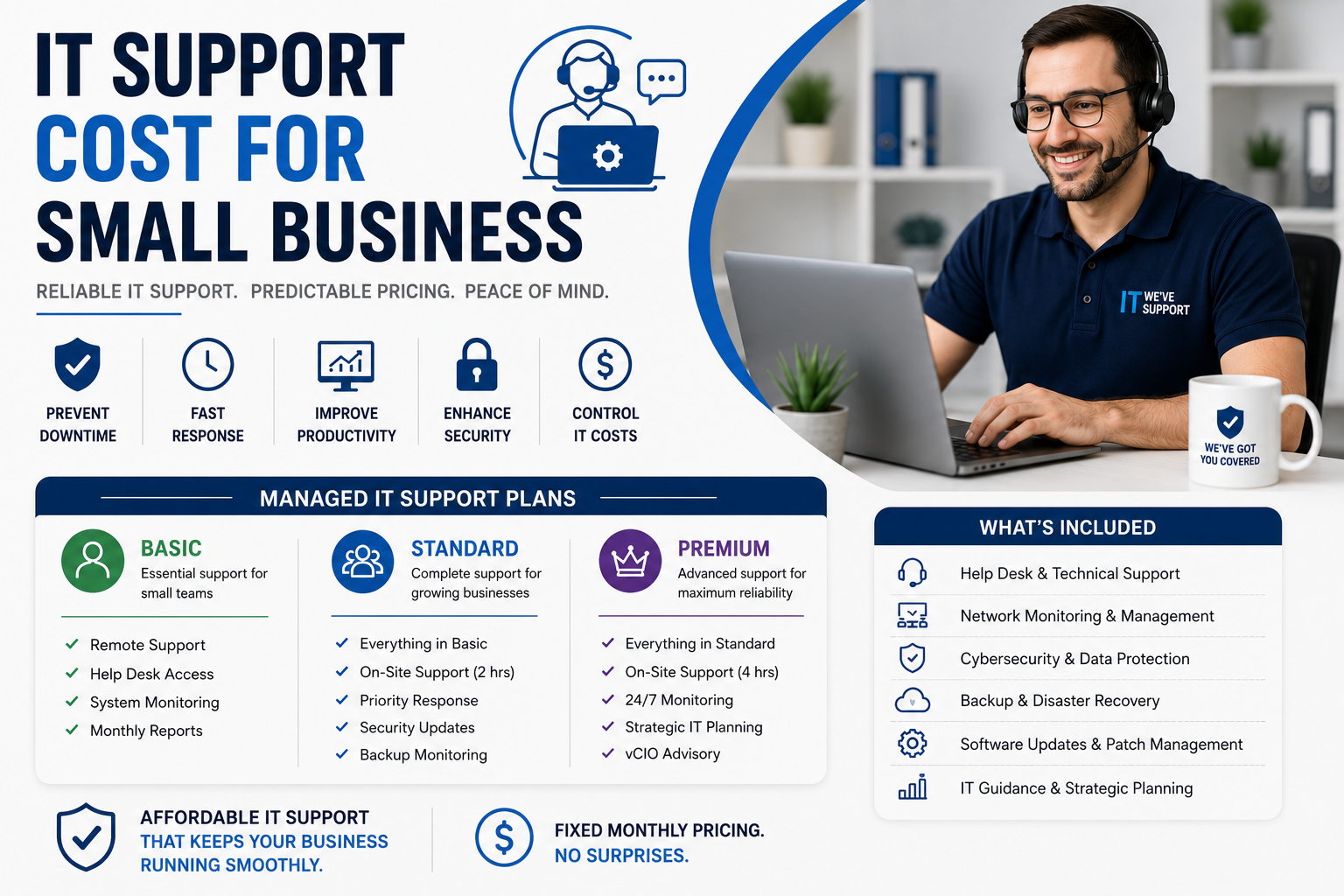
Technology is the quiet engine powering virtually every modern enterprise, yet estimating the managed IT support cost small business decision-makers must budget for in 2026 remains notoriously tricky. Whether you operate a fast-growing digital agency, a boutique legal practice, or a regional logistics firm, maintaining a secure, reliable tech infrastructure is no longer optional. But when you begin contacting Managed Service Providers (MSPs) for quotes, you are often met with a bewildering array of pricing tiers, per-device add-ons, onboarding fees, and complex SLA guarantees that make simple arithmetic feel like advanced calculus.
Navigating technology expenses requires clarity and realistic expectations, because nothing demoralizes an office faster than a server crash on Friday afternoon—except perhaps realizing your automated cloud backup ran out of allocated storage three months ago without notifying anyone. In this comprehensive 2026 cost guide, Devtaastic breaks down standard industry pricing models, uncovers hidden line-item fees, compares outsourced MSP services against internal hiring, and equips you with actionable strategies to secure high-tier IT protection without overspending your operational budget.
Understanding the Core Managed IT Support Pricing Models in 2026
Before examining exact dollar figures, it is essential to understand how managed service providers structure their billing. In the US market today, MSPs generally deploy one of four primary pricing frameworks. Understanding these models ensures you do not inadvertently select a contract structure that penalizes your business for scaling its operations.
1. Per-User Pricing Model (Most Popular)
The per-user model is the dominant pricing structure across US managed service providers in 2026. Under this flat-rate approach, your business pays a fixed monthly fee for every employee who utilizes company technology. The provider covers all devices associated with that user—including their desktop, laptop, smartphone, tablet, cloud accounts, and cybersecurity monitoring.
In 2026, standard per-user rates range from $125 to $250 per user per month. The primary advantage of this framework is predictability. When you hire a new team member, your monthly IT budget increases by a precise, pre-determined dollar amount. Furthermore, this approach aligns seamlessly with modern hybrid workforces where employees routinely jump between multiple devices throughout the workday.
2. Per-Device Pricing Model
Unlike per-user billing, the per-device model charges your company based on the exact number of hardware assets monitored and maintained by the IT team. Typical per-device rates in 2026 break down as follows:
- Workstations / Laptops: $40 to $90 per device / month
- Physical or Virtual Servers: $150 to $350 per server / month
- Network Firewalls & Switches: $50 to $150 per network device / month
- Mobile Devices / Tablets: $15 to $35 per device / month
While per-device billing appears transparent on paper, selecting a pay-per-device plan when your employees each carry a laptop, tablet, dual monitors, and a company smartphone is a fast track to discovering how quickly small numbers multiply into large invoices. Per-device plans work best for businesses with high employee counts but limited hardware usage, such as shift-based manufacturing or retail operations.
3. Tiered Service Packages (Gold, Silver, Bronze)
Many MSPs bundle their capabilities into tiered service levels. A basic "Bronze" or monitoring-only package might cover anti-virus updates and patch management for $50 per user, but leaves helpdesk troubleshooting billed at an extra hourly rate. A comprehensive "Gold" package priced at $200 per user includes 24/7/365 helpdesk response, advanced zero-trust cybersecurity, cloud backup verification, and executive virtual CIO (vCIO) strategic consulting.
When evaluating digital services—whether syncing cloud infrastructure or connecting custom web platforms built via modern Web Development Services—tiered packages provide clear visibility into baseline coverage versus premium add-ons.
4. Monitoring-Only (A La Carte) Support
For small businesses maintaining an entry-level budget, monitoring-only contracts offer an essential safety net. The MSP installs Remote Monitoring and Management (RMM) software to track system health, apply security patches, and issue alert notifications when potential hardware failures occur. Rates generally range from $30 to $60 per user/device monthly. However, whenever an employee requires direct helpdesk assistance or hands-on troubleshooting, the provider bills your firm at standard emergency hourly rates ($150 to $250/hour).

Average Managed IT Support Cost for Small Business in 2026: Detailed Breakdown
To provide clear financial benchmarks for your 2026 fiscal planning, we have outlined real-world cost projections based on organization size, user count, and operational complexity. The figures below reflect current US national averages for full-service managed IT support, including 8x5 or 24/7 helpdesk availability, endpoint protection, email security, and routine data backups.
| Business Size & Tier | User Count | Average Monthly IT Spend | Primary Included Features | Best Suited For |
|---|---|---|---|---|
| Micro Business / Startup | 1 to 9 users | $500 – $1,800 / mo | Basic helpdesk, cloud backup, anti-malware, M365/Google Workspace setup | Early-stage startups, small consultancies, sole proprietors |
| Small Business (Standard) | 10 to 25 users | $1,800 – $5,000 / mo | Unlimited 8x5 helpdesk, EDR cybersecurity, firewall management, quarterly vCIO reviews | Professional services, medical practices, regional accounting firms |
| Growing SMB (Advanced) | 26 to 50 users | $5,000 – $10,500 / mo | 24/7 emergency response, SOC monitoring, regulatory compliance management (HIPAA/SOC2), cloud server maintenance | E-commerce platforms, financial institutions, multi-location healthcare providers |
| Mid-Market Enterprise | 51 to 150+ users | $10,500 – $28,000 / mo | Co-managed IT options, dedicated on-site technicians, custom API integrations, zero-trust architecture | High-growth tech firms, manufacturing plants, national logistics operations |
As illustrated above, calculating your prospective managed IT support cost small business budget depends directly on employee headcount and operational security requirements. For companies maintaining active digital customer-acquisition channels—such as custom campaigns audited by our specialized SEO Services—ensuring 99.99% server uptime is critical to prevent revenue loss from unhandled web requests or gateway downtime.
It is worth noting that hiring a single full-time internal IT System Administrator in the US in 2026 commands an average base salary of $85,000 to $115,000 annually. When you factor in payroll taxes, health insurance, paid time off, ongoing certifications, and specialized software tooling, a single internal hire easily costs your business over $140,000 each year—and that person still needs to sleep, take vacations, and occasionally log off. Partnering with an outsourced MSP grants your organization immediate access to an entire team of certified engineers for a fraction of the cost of a single full-time employee salary. Hiring an internal sysadmin in 2026 just to have someone physically present to tell your staff to turn their computers off and on again remains a very expensive exercise in nostalgia.

Key Factors Influencing Your Managed IT Support Cost Small Business Budget
No two businesses possess identical technology stacks. When an MSP evaluates your infrastructure during a discovery audit, several core variables will directly influence your final monthly quote:
1. Cybersecurity & Regulatory Compliance Requirements
If your business handles sensitive consumer data, credit card information, or protected health information (PHI), your IT infrastructure must satisfy strict federal and industry compliance mandates. Compliance frameworks such as HIPAA (healthcare), PCI-DSS (retail/e-commerce), SOC 2 (SaaS/tech), or CMMC (defense contracting) require advanced security controls.
Implementing Endpoint Detection and Response (EDR), Security Information and Event Management (SIEM), automated vulnerability scanning, and multi-factor authentication (MFA) enforcement increases overall contract costs by roughly 20% to 35%. However, ignoring compliance in hopes that malicious actors will overlook your 20-person firm is a bit like leaving your office front door unlocked overnight because you assume burglars only target high-rise corporate towers.
2. Cloud Infrastructure vs. On-Premises Servers
Organizations operating entirely within cloud environments (such as Microsoft 365, Google Workspace, AWS, or Azure) generally enjoy lower ongoing IT maintenance overhead. Cloud-native setups eliminate physical server hardware refreshes, battery backup systems, and localized server room cooling maintenance.
Conversely, if your company relies on legacy on-premises physical servers, local NAS storage arrays, or specialized desktop software requiring local database hosting, expect your managed service fees to reflect the extra labor required to monitor, patch, and physically maintain that hardware.
3. Service Level Agreements (SLA) & Support Hours
Does your business require standard 8:00 AM to 5:00 PM EST business-hours support, or do your operations run round-the-clock across multiple time zones? An SLA guaranteeing a 15-minute response time with 24/7/365 emergency remediation carries a higher monthly retainer than an SLA providing a 2-hour window during standard business hours. Aligning your SLA with actual business impact ensures you pay only for the availability your operations genuinely require.
4. Internal Workflow & UI/UX Software Integration
Modern workplaces rely on dozens of interconnected SaaS applications, custom CRM workflows, and internal employee portals. Ensuring these tools communicate effectively without creating user friction requires thoughtful interface engineering. Businesses seeking to streamline staff adoption often combine IT infrastructure management with human-centered system design, leveraging expert UI/UX Design Services to eliminate interface bottlenecks and reduce helpdesk ticket volume caused by confusing internal software layouts.

Hidden IT Expenses and How to Avoid Overpaying
When reviewing MSP service contracts, the headline monthly figure does not always tell the complete financial story. Unscrupulous providers sometimes pitch low initial per-user rates only to make up their margins through hidden add-ons and out-of-scope billing. Here are the most common hidden line items to look out for before signing a service agreement:
- Onboarding & Environment Migration Fees: Transitioning your network, cloud tenant, and user credentials to a new MSP requires significant labor. Initial onboarding fees typically equal one month of standard service (e.g., $2,500 one-time fee). Always verify whether onboarding is billed separately or amortized across your contract term.
- After-Hours Emergency Support Rates: Reviewing a 40-page MSP contract fine print is admittedly less exciting than watching paint dry, but it beats paying $250 an hour for emergency helpdesk tickets simply because "after-hours" was defined in small print as any request logged past 4:30 PM.
- Hardware & Software License Markup: Some IT providers mandate purchasing laptop replacements, firewalls, and Microsoft 365 licenses directly through their dealership at a 15% to 25% markup. Ensure your contract allows you to purchase hardware directly from authorized distributors if preferred.
- Project-Based Scope Changes: Standard managed IT contracts cover ongoing maintenance and helpdesk support, but explicitly exclude major infrastructural projects. Upgrading your office network wiring, migrating physical servers to AWS, or deploying new company-wide software will be billed as separate fixed-price or hourly projects.
To audit software packages or modular digital tools suitable for modern business growth, explore our curated hardware and software recommendations on the Products Page, or return to our company Home to learn more about our complete technology offerings.
How to Calculate Your Business IT Budget: A 5-Step Action Checklist
Ready to structure your company's technology budget for the upcoming year? Follow this systematic 5-step checklist to establish an accurate, ROI-driven allocation:
- Audit Total User Seats & Active Devices: Inventory every active employee, contractor seat, desktop, laptop, mobile device, and cloud account currently operating across your organization.
- Determine Required Support Coverage Hours: Assess whether your operations truly necessitate 24/7/365 live phone support or if standard Monday–Friday business hours suffice for 95% of helpdesk requests.
- Define Your Regulatory Security Baseline: List all industry regulations (HIPAA, PCI-DSS, SOC 2) your business must comply with to prevent expensive non-compliance penalties or client contract forfeitures.
- Factor in Hardware Lifecycle Replacements: Allocate roughly $350 to $500 per employee per year into a hardware reserve fund. Allocating zero emergency budget for hardware replacement is a bold financial strategy right up until a spilled cup of coffee renders your chief financial officer's laptop into a very expensive paperweight.
- Request Itemized RFP Proposals from Vetted MSPs: Request detailed proposals breaking down per-user fees, included software licenses, SLA metrics, project hourly rates, and contract termination terms.
Frequently Asked Questions
1. How much does managed IT support cost for a small business per month on average?
On average, small businesses in the United States spend between $1,500 and $5,000 per month for managed IT support. Most fully-managed service plans charge between $125 and $225 per user per month, which includes helpdesk support, cybersecurity monitoring, cloud backups, and network management.
2. Is it cheaper to hire an internal IT person or outsource to an MSP?
Outsourcing to a Managed Service Provider is significantly more cost-effective for small to mid-sized businesses with fewer than 100 employees. Hiring a single qualified internal SysAdmin costs upwards of $110,000 annually plus taxes and benefits, whereas a full-service MSP provides an entire team of certified specialists 24/7 for a fraction of that total cost.
3. What is included in standard managed IT support packages?
Standard managed IT packages include 8x5 or 24/7 helpdesk user support, remote endpoint monitoring, anti-virus and anti-phishing cybersecurity management, automated software patch updates, cloud backup management (Microsoft 365 / Google Workspace), and network firewall maintenance.
4. Do managed IT support contracts require long-term commitments?
While traditional MSP contracts often required 3-year term commitments, modern service agreements in 2026 frequently offer flexible 12-month agreements or month-to-month contracts with 30-day cancellation windows. Always verify contract termination clauses and data transition policies before signing.